
Multi-Factor Authentication Methods Compared: Which One Actually Protects You?
You’ve typed your password, hit enter, and then it appears: a six-digit code has been sent to your phone. You groan, reach for your mobile, and wait for the text. It’s mildly annoying — but that small moment of friction is often the only thing standing between your account and a cyber criminal. At sol-pass.com, we’ve spent enough time watching breaches unfold to know that MFA isn’t just a box-ticking exercise. It’s the single most effective control most people and organisations can deploy. The problem is that not all MFA is created equal. Some methods are genuinely robust; others are barely better than a password. In this guide, we cut through the hype and compare the main options available to UK users and businesses, weighing real-world security against everyday usability.
Why MFA Is Non-Negotiable in 2025
Credential-based attacks remain the dominant way attackers get in. Phishing, credential stuffing, and brute-force attempts all target the same weak point: a username and password that can be guessed, bought, or stolen. In the UK, the National Cyber Security Centre (NCSC) has been blunt about the scale of the problem, and the evidence from major incidents backs it up.
The Cost of Compromised Credentials in the UK
The 2023 Royal Mail ransomware attack is a textbook example. Attackers exploited weak authentication to gain a foothold, and the fallout disrupted international deliveries for weeks, leaving customers and businesses across the country scrambling. It wasn’t a sophisticated zero-day exploit — it was a failure of basic access control. Countless smaller UK organisations have suffered similar fates, often without the media coverage. The common thread is almost always the same: a single set of credentials that should never have been enough on its own.
How MFA Blocks the Majority of Attacks
The numbers here are striking. The NCSC reports that MFA blocks 99.9% of account compromise attacks. That figure alone should end most debates about whether MFA is worth the effort. When an attacker has your password but not your second factor, they are effectively locked out. For UK organisations handling customer data, that difference between a breach and a near miss is enormous.
Knowledge, Possession, and Inherence: The Three Factors
To compare MFA methods properly, we need to understand what “factors” actually are. Authentication factors fall into three categories, and true MFA combines at least two of them.
Something You Know: Passwords and PINs
This is the classic knowledge factor — a password, a PIN, or a security question. It’s cheap and familiar, but it’s also the weakest link because it can be phished, reused, or leaked. On its own, a password is no longer acceptable protection for anything sensitive.
Something You Have: Tokens and Apps
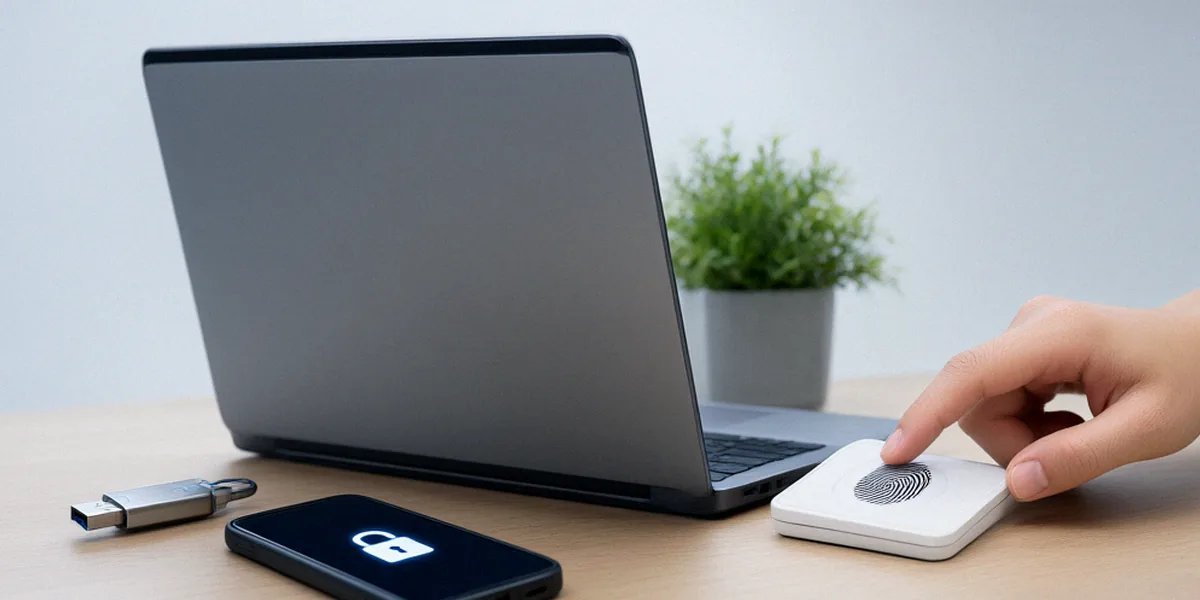
Possession factors are physical or device-bound: a hardware key like a YubiKey, a smartphone running an authenticator app, or a smart card. The attacker needs access to the device itself, which is a much higher bar than simply knowing a string of characters.
Something You Are: Biometrics
Inherence covers biological traits — a fingerprint, a face scan like Face ID, or a voiceprint. Biometrics are convenient and hard to replicate remotely, though they can’t be changed if compromised, so they work best as part of a layered approach rather than a standalone factor.
Comparing Popular MFA Methods
Now for the practical comparison. Each method below has trade-offs between security and usability, and the right choice depends on your context.
SMS and Email OTP: Convenient but Vulnerable
One-time codes sent by text or email are the most widely used form of MFA, largely because they require no extra apps or hardware. But they’re also the weakest. SMS is vulnerable to SIM-swapping attacks, where a criminal convinces your mobile network to transfer your number to their SIM. Email OTPs are only as secure as the email account receiving them — which, if it’s protected by just a password, creates a circular weakness. We treat SMS and email OTP as a baseline, not a destination.
Authenticator Apps: A Solid Middle Ground
Apps like Google Authenticator and Authy generate time-based codes on your device without relying on mobile networks. They’re resistant to SIM-swapping and work offline. The main downside is usability: users must open the app, find the right account, and type a code within a time window. It’s a meaningful step up from SMS, and for many UK SMEs it hits a sensible balance of cost and security.
Push Notifications: Balancing Security and UX
Microsoft Authenticator and similar tools send a push notification to your phone that you approve with a tap or biometric check. It’s faster than typing codes and generally well-liked by users. However, push-based MFA has been targeted by “MFA fatigue” attacks, where attackers bombard a user with prompts until they approve one out of frustration. Number-matching — where you confirm a code shown on the login screen — mitigates this significantly.
Hardware Security Keys: The Gold Standard
Physical keys such as the YubiKey use protocols like FIDO2 and WebAuthn to provide phishing-resistant authentication. Because the key is bound to the legitimate website’s origin, it simply won’t work on a lookalike phishing page. For high-risk accounts — administrators, finance teams, executives — hardware keys are the strongest option available today. The trade-offs are cost and the need to carry a physical device.
Passkeys: The Future of Passwordless Authentication
Passkeys replace passwords entirely, using cryptographic key pairs stored on your device and unlocked with a biometric or PIN. They’re phishing-resistant, eliminate password reuse, and offer a smoother login experience. Adoption is growing fast, with Apple, Google, and Microsoft all supporting them. For UK organisations planning ahead, passkeys represent the direction of travel — though legacy systems may lag behind for a while yet.
UK Regulatory and Business Considerations
MFA isn’t just a security best practice in the UK — it’s increasingly a compliance expectation.
GDPR and Data Protection
UK GDPR requires appropriate technical measures to protect personal data. The Information Commissioner’s Office has repeatedly emphasised that access controls, including MFA, form part of those measures. If a breach occurs and MFA wasn’t in place, expect difficult questions about whether your protections were “appropriate”.
FCA and Financial Sector Requirements
The Financial Conduct Authority’s Strong Customer Authentication (SCA) rules mandate MFA for online payments in the UK. Banks and payment providers must combine at least two independent factors, which has driven widespread adoption of app-based and biometric authentication across the sector.
Cyber Essentials and Public Sector Contracts
Cyber Essentials certification requires MFA for administrative access to cloud services. For organisations bidding on public sector contracts, this is often a hard requirement. Meeting it isn’t just about winning work — it’s a signal that you take basic hygiene seriously.
How to Choose the Right MFA for Your Organisation
There’s no universal answer, but a structured approach helps. We recommend assessing risk first, then matching methods to user needs.
Assessing Your Risk and User Needs
Start by identifying which accounts and systems matter most. Consider:
- Which users have privileged or administrative access?
- What data would be most damaging if exposed?
- How tech-savvy is your user base, and how much friction will they tolerate?
- What systems and legacy applications must integrate with your chosen method?
Balancing Security with User Experience
The strongest MFA is useless if users bypass it or resent it. For most staff, authenticator apps or push notifications strike a good balance. For high-risk roles, hardware keys are worth the investment. Passkeys are ideal where you control the application stack and want to reduce password-related support tickets.
Implementation and Migration Tips
Roll out in phases rather than all at once. Pilot with a small group, gather feedback, and provide clear guidance and backup options for lost devices. The UK government’s ‘Secure by Design’ principles encourage building security in from the start rather than bolting it on — a mindset that pays off during MFA migration.
FAQ
Is SMS-based MFA better than no MFA at all?
Yes. Even though SMS is vulnerable to SIM-swapping and interception, it still blocks the vast majority of automated credential attacks. It’s a starting point, not an endpoint, but it’s far better than relying on a password alone.
Are passkeys more secure than hardware keys?
Both are phishing-resistant and built on similar FIDO2 foundations. Passkeys are more convenient because they’re stored on your device, while hardware keys offer stronger protection against device compromise since the credential never leaves the physical key. For most users, either is a major improvement.
Does UK GDPR explicitly require MFA?
UK GDPR doesn’t name MFA specifically, but it requires appropriate technical measures to protect personal data. Regulators and security bodies consistently treat MFA as part of those appropriate measures, especially for systems holding sensitive information.
How do we handle MFA for staff without smartphones?
Hardware tokens or security keys are the usual solution. They don’t require a smartphone and can be issued, tracked, and revoked by your IT team. Some organisations also use desktop authenticator apps or smart cards.
What’s the fastest way to improve our MFA posture?
Audit your privileged accounts first — administrators, finance, and anyone with access to customer data. Enforce the strongest available method for those users, then expand outward. This risk-based approach delivers the biggest security gain for the least disruption.
No single MFA method is perfect, and the strongest protection comes from layering — combining phishing-resistant options like passkeys and hardware keys where the risk justifies it. Start with a risk-based approach: identify your most valuable accounts, protect them first, and build outward from there. The 99.9% figure from the NCSC is a powerful reminder that even modest MFA adoption dramatically reduces your exposure, and in 2025, that’s a baseline no UK organisation can afford to skip.