

Passkeys: How They Work and Why They Matter for Your Digital Identity
Why are we still typing passwords in 2025 when every other week brings news of another data breach? We’ve all been told to use long, unique passwords and a password manager, yet breaches keep happening, and credentials keep leaking. The uncomfortable truth is that passwords were never designed to protect the modern internet. Passkeys are the passwordless solution we’ve been waiting for — and they’re finally arriving on the services we use every day.
What Are Passkeys?
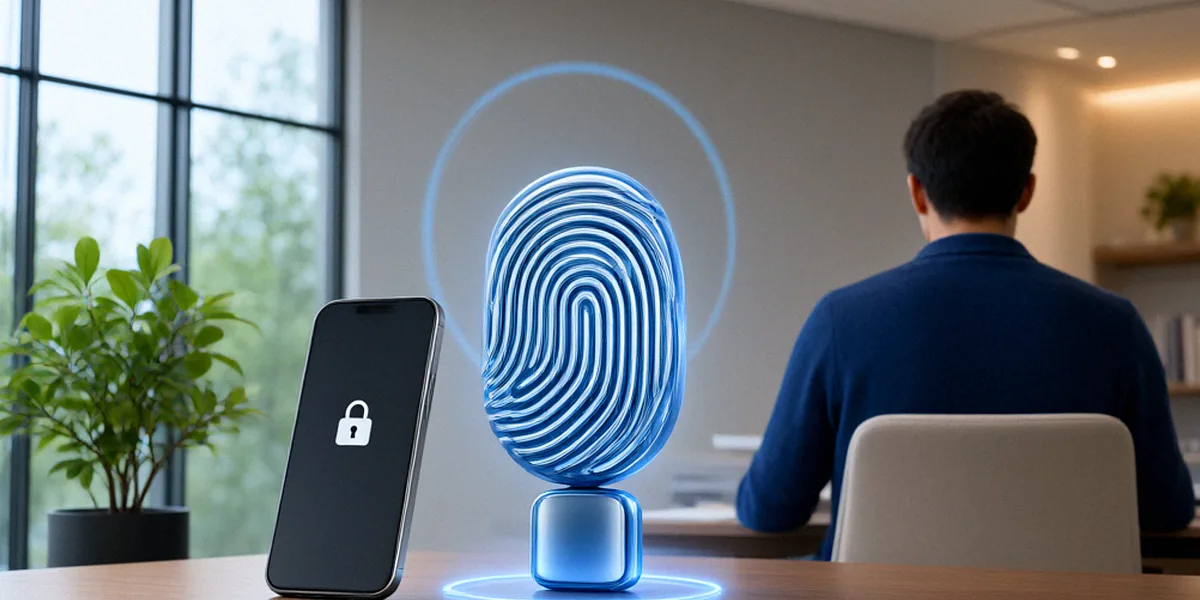
Passkeys are cryptographic credentials built on public-key cryptography. Instead of a shared secret (your password) that both you and the website know, a passkey creates a matched pair of keys: a private key that stays on your device, and a public key that the service holds. When you sign in, your device proves it holds the private key without ever transmitting it. Nothing reusable ever crosses the network, which means there’s nothing for a criminal to steal from a server breach.
Passkeys are backed by the FIDO Alliance and supported by Apple, Google, and Microsoft, which means they work across iPhones, Android devices, Windows PCs, and Macs. If you’ve used Touch ID or Windows Hello to sign into an app, you’ve already brushed against the technology that makes passkeys possible.
The Role of the FIDO Alliance
The FIDO Alliance develops passkey standards. It’s an industry consortium — including Apple, Google, Microsoft, and hundreds of other organisations — that publishes the technical specifications vendors build against. Because the standard is open and shared, a passkey created on one platform can, in principle, be used on another, which is essential for a technology that needs to work everywhere.
How Passkeys Differ from Traditional Passwords
Traditional passwords rely on a shared secret that can be guessed, phished, reused, or dumped in a breach. Passkeys flip that model entirely:
- There is no shared secret — the private key never leaves your device.
- Nothing is typed, so there’s nothing to phish or keylog.
- Each passkey is unique to a service, so credential stuffing becomes impossible.
- Sign-in is verified by biometrics (Face ID, fingerprint) or a device PIN.
How Passkeys Work Under the Hood
When you register a passkey with a service, your device generates a key pair. The public key is sent to the service and stored there. The private key is sealed inside your device’s secure hardware — a secure enclave on Apple devices, or the Trusted Platform Module on many Windows machines. During sign-in, the service sends a random challenge; your device signs it with the private key; the service verifies the signature with the public key. The private key never leaves your device, and no password is ever transmitted.
Public-Key Cryptography Explained
Public-key cryptography is the same technology that secures HTTPS connections and software updates. It relies on mathematical relationships that are easy to compute in one direction and effectively impossible to reverse. In the passkey context, the private key acts as your digital signature: only your device can produce it, but anyone with the public key can verify it. That asymmetry is what makes passkeys both secure and convenient.
The WebAuthn Standard and Browser Support
Passkeys are implemented through the WebAuthn standard, maintained by the World Wide Web Consortium (W3C) with input from the FIDO Alliance. WebAuthn defines how browsers and platforms communicate with authenticators — the hardware or software that holds your private key. Chrome, Safari, Edge, and Firefox all support WebAuthn, and the major operating systems now sync passkeys through iCloud Keychain, Google Password Manager, or Windows Hello.
Why Passkeys Are More Secure Than Passwords
The security case for passkeys is straightforward. They are phishing-resistant by design: there is no password to type into a fake login page, and a passkey is cryptographically bound to the legitimate website’s domain. They eliminate credential stuffing, because there are no reused secrets to try across services. And they drastically reduce breach risk, because a compromised server holds only public keys — useless to an attacker.
The numbers back this up. Verizon’s Data Breach Investigations Report (DBIR) states that 80% of hacking-related breaches involve passwords. Remove passwords from the equation, and you remove the single largest attack surface on the internet.
Phishing Resistance and Credential Stuffing
Phishing works because a victim can be tricked into typing a password into a lookalike site. Passkeys don’t give you anything to type. Even if you land on a convincing fake, your device will refuse to sign the challenge because the domain doesn’t match the one bound to your passkey. Credential stuffing — where attackers replay leaked username and password combinations across many services — also collapses, because there are no reusable credentials to replay.
What the NCSC Says About Passwordless
The UK’s National Cyber Security Centre (NCSC) advocates for passwordless authentication, and has publicly encouraged organisations to move away from passwords towards technologies like passkeys. The NCSC’s guidance highlights that passwords place an unfair burden on users and that phishing-resistant authentication, such as FIDO-based passkeys, offers a meaningful reduction in risk for both individuals and businesses.
Passkeys in the UK: Adoption and Challenges
Adoption in the UK is accelerating. Several major banks and retailers have begun rolling out passkey support, and the government’s own digital identity programme is exploring the technology. At the same time, real challenges remain: passkeys don’t yet sync perfectly across every ecosystem, and many users simply haven’t heard of them.
UK Banks and Retailers Leading the Way
UK banks like NatWest and HSBC have started implementing passkeys, allowing customers to sign in using biometrics instead of passwords or one-time codes. Retailers including Tesco have also begun experimenting with passkey sign-in for their apps and online accounts. For financial services in particular, the appeal is obvious: fewer fraud losses, fewer support calls about forgotten passwords, and a smoother customer experience.
GOV.UK One Login and Public Services
GOV.UK One Login is exploring passkey support for public services, which could eventually let citizens access HMRC, DVLA, and other government services without a password. If that rollout succeeds at scale, it would be one of the largest passwordless deployments in the UK and a powerful signal to the private sector.
How to Get Started with Passkeys
Getting started is easier than most people expect. Our team recommends starting with your email and banking accounts — the two that matter most if compromised — and then expanding from there.
- Check whether your key services (Google, Apple, Microsoft, your bank) already support passkeys in their security settings.
- Enable passkeys on your Apple or Google account first, so your device has a synced passkey ready to use.
- Add passkeys to your most sensitive accounts: email, banking, and any service holding payment details.
- Keep a password manager as a backup for services that don’t yet support passkeys.
Enabling Passkeys on Major Platforms
On Apple devices, passkeys are stored in iCloud Keychain and can be enabled from Settings under Passwords. On Google, they live in Google Password Manager and can be added from your account’s security page. Microsoft supports passkeys through Windows Hello and the Microsoft account security dashboard. In each case, the setup takes a minute or two and requires only your device biometrics or PIN.
Using Password Managers for Backup
Password managers like 1Password and Dashlane now support passkeys and can sync them across devices and platforms, including between Apple and Android ecosystems. That makes them a practical bridge during the transition period, when some services still rely on passwords and others have moved to passkeys. We recommend keeping your password manager active even after you’ve adopted passkeys, because recovery and legacy accounts still depend on it.
The Future of Passkeys and Digital Identity
Passkeys are a stepping stone, not the destination. Wider adoption is coming, cross-platform standards are maturing, and passkeys are increasingly being discussed as a foundational layer for digital identity wallets. But user education and account recovery remain the hard problems that the industry hasn’t fully solved.
Cross-Platform Sync and Recovery
Today, passkey sync works well within Apple’s ecosystem and within Google’s, but moving passkeys between them still relies on third-party password managers or QR-code-based flows. Recovery is the bigger challenge: if you lose every device holding your passkey, how do you prove who you are? Most services fall back to email or a recovery code, which reintroduces some of the weaknesses passkeys were meant to remove. Expect this area to evolve quickly.
Passkeys and Digital Identity Wallets
In the EU, eIDAS 2.0 will require member states to offer digital identity wallets to citizens, and passkeys are a natural fit as the authentication layer. Similar conversations are happening in the UK around digital ID. The long-term vision is a world where your identity is proven by cryptographic credentials stored on your device, not by a password you have to remember. Passkeys are the first mainstream step towards that future.
FAQ
Are passkeys safer than passwords?
Yes. Passkeys are phishing-resistant, can’t be reused across services, and don’t transmit a shared secret during sign-in. Verizon’s DBIR notes that 80% of hacking-related breaches involve passwords, so removing them eliminates the most common attack vector.
What happens if I lose my device?
If your passkeys are synced through iCloud Keychain, Google Password Manager, or a password manager like 1Password, you can recover them on a new device by signing into the same account. If they aren’t synced, you’ll need to use the recovery method each service provides.
Do UK banks support passkeys?
Some do. NatWest and HSBC have started implementing passkeys, and other UK banks are running pilots or rolling out support gradually. Check your bank’s security settings or help pages to see whether passkeys are available on your account.
Can I use passkeys on GOV.UK One Login?
GOV.UK One Login is exploring passkey support for public services. Availability is expanding over time, so it’s worth checking the One Login help pages for the latest status on passwordless sign-in.
Do I still need a password manager?
Yes, for now. Many services still rely on passwords, and password managers also handle passkey sync across platforms. We recommend keeping one active during the transition to a passwordless future.
Passkeys represent a genuine leap forward for cybersecurity and digital identity. They remove the shared secrets that attackers have exploited for decades, they’re backed by the FIDO Alliance and every major platform, and they’re already live with UK banks, retailers, and government services. Start by enabling a passkey on your email and banking accounts today — your future self, and your digital identity, will thank you.